Testimonial video maker
Turn the reviews you already have into posts people actually read.


In short
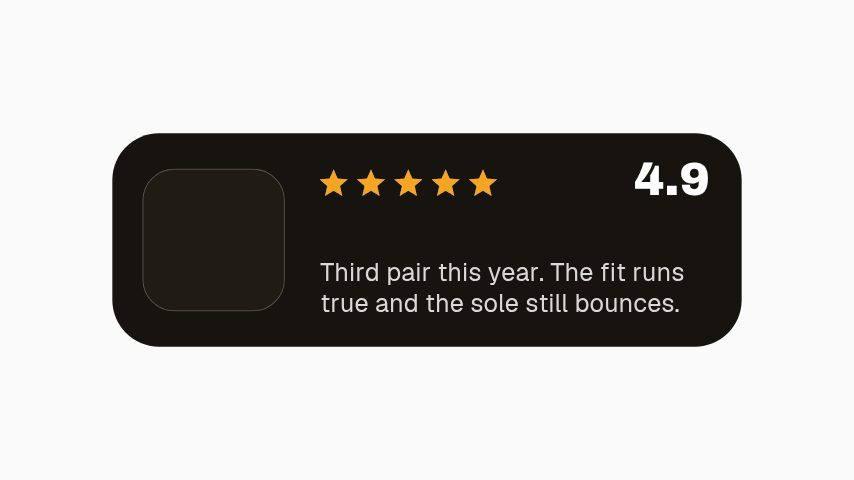
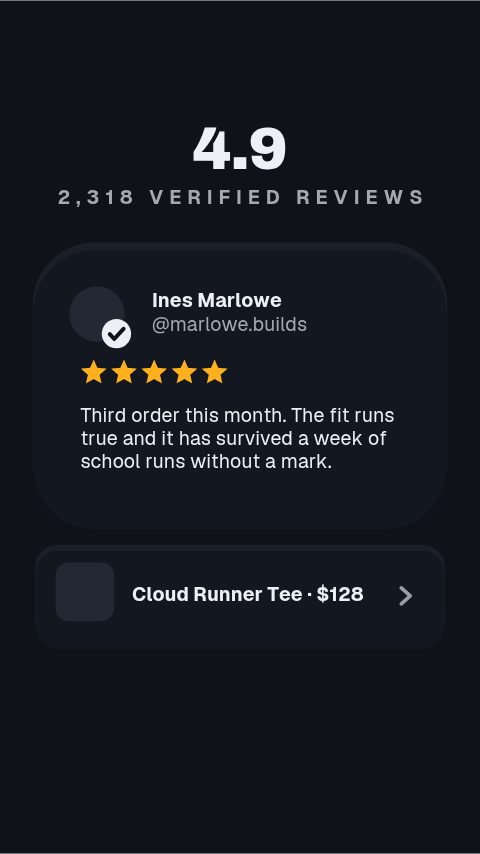
A good review is worth more as a post than as a line on a product page, and this turns one into a video in minutes: a typographic quote card, a review spotlight with a star rating, a UGC frame built around a customer's own photo, and a result card for a course or a service. Type the quote and the name, add the photo if there is one, and export at the shape you are posting. Twenty reviews is an afternoon of posts. The words are yours to check. Nothing is pulled from a review platform, and a quote should be one the customer actually wrote.
- 5
- Animations here
- 989
- In the library
- MP4, GIF, MOV
- Export
- 16:9 · 4:5 · 1:1 · 9:16
- Ratios
- 720p to 4K
- Resolution
- In the browser
- Editing
What you get
Reads at feed size
Large type, one sentence, high contrast. A screenshot of a review does not survive being seen on a phone at arm's length.
A frame for the customer's own photo
The UGC card is built around a media slot, so their picture or a still from their clip carries the quote rather than sitting beside it.
One design across every review you post
Twenty reviews posted in the same card reads as a pattern of people liking the thing. Twenty different layouts reads as noise.
The words are yours to verify
Nothing is imported from a review platform. What is on the card is what you typed, and it should be what they wrote.
The animations
Reviews turned into quote cards, spotlights and UGC frames.

How to make a testimonial video
- 01
Cut the quote to one point
The strongest sentence, not the whole review. A three-line quote at feed size is a three-line quote nobody reads.
- 02
Add the name and the photo
A first name and a photo make a quote a person. Both are fields, and the photo is optional.
- 03
Export for the feed
1:1 or 4:5 for a feed post, 9:16 for a story or reel. Transparent MOV if it is going over your own footage.
What you get
Free trial
Every animation in your brand for 7 days, with clean exports. Cancel before it ends and nothing is charged.
Every paid plan
No watermark, MP4, GIF and MOV with a real alpha channel, up to 60 fps. 4K and 8K on Studio.
Ratios
1:1 and 4:5 for the feed, 9:16 for stories and reels.
Media
A photo slot on the UGC and result cards; the others are typographic.
Questions
Can I import reviews from Trustpilot or Google?
No. There is no review platform integration, so the quote and the name are typed in. That also means you are the one checking the quote is accurate before it goes out, which is the right way round for a claim about a customer.
Do I need the customer's permission?
For their name and photo, yes, and for a quote taken from a private message. A public review is generally quotable, but reusing somebody's face and words in marketing is a permission worth having in writing.
Does this add review markup to my site?
No. These are video assets. Structured review markup on your product pages is your store platform's job, and it has to reflect reviews visible on the same page.
What about video testimonials?
Use the UGC card as a frame over your customer's clip: export a transparent MOV and lay it over their footage, so the quote and your branding sit on top of what they filmed.
Nearby
Flash sale video maker
Price drops, codes, stock counters and shipping bars, posted today.
6 animationsTwitch alert maker
Follow, sub, gift and bit alerts, branded in your own colours.
6 animationsReview videos and social proof that earn their place
Give the ad account something to rotate in that is not another product shot. Five-star pull quotes, rating breakdowns, just-bought notices and back-in-stock alerts, made from words your customers already wrote.
The whole job, end to endGo from product photo to campaign-ready motion.
Ship the creative a campaign needs this week, without waiting on a designer. Flash sales, discount codes, price drops, reviews and social proof, the small, frequent assets a shop actually posts.
The whole library for ecommerce brands
Post the review properly
One sentence, one name, one card, and the next review takes a minute.
Start your trial