Lower third templates for podcasters
Every guest introduced properly, on the episode and on every clip cut from it.

In short
A guest with their name and title on screen sounds more worth listening to, and a podcast needs that plate every episode and again on every clip cut from it. These are animated lower thirds you edit in the browser: type the guest's name and what they do, set your two brand colours and typeface, and export. The next guest is two lines retyped. MP4 drops straight on the timeline, or MOV with a real alpha channel so the plate composites over your camera footage with nothing behind it.
- 6
- Animations here
- 989
- In the library
- MP4, GIF, MOV
- Export
- 16:9 · 4:5 · 1:1 · 9:16
- Ratios
- 720p to 4K
- Resolution
- In the browser
- Editing
What you get
A guest plate every episode, in about two minutes
The name and credit are text fields. Changing the guest is retyping two lines, not reopening a project and re-rendering a comp.
The same plate on the episode and on the clips
Export the plate once at 16:9 for the full episode and again at 9:16 for the vertical cut. Same design, sized for where it is going.
Quote bars for the sentence that travels
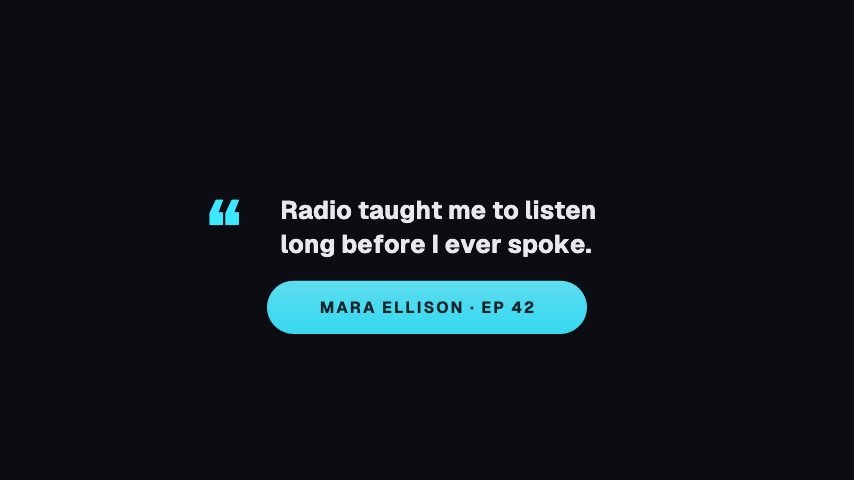
The clip that gets shared is usually one sentence. The Pull Quote Bar puts that sentence on screen at a size that reads without sound.
Sits over your set, whatever colour it is
MOV with a real alpha channel. No matte to key, no black box behind the plate on a dark set.
The animations
Guest plates, quote bars and idents for episodes and clips.

How to add a lower third to a podcast episode
- 01
Pick the plate
Start from the plain Lower Third for a guest introduction, or the Pull Quote Bar where the point is the sentence rather than the speaker.
- 02
Type the name and the credit
Two lines: who is speaking, and the thing that makes them worth listening to. Set your colours and typeface once and the brand kit reuses them on every plate after this one.
- 03
Export over your footage
MP4 sits on the timeline above the camera track. MOV with an alpha channel composites with no box around it, which is the one you want if your set is not a flat colour.
What comes out of it
Formats
MP4 for the timeline, GIF for a preview, MOV with a real alpha channel to composite.
Ratios
16:9 for the episode, 9:16 and 1:1 for the clips cut out of it.
Frame rate
24, 30 or 60 fps, matching whatever your camera shot.
Length
Two to four seconds. Long enough to read a name, short enough not to sit over the answer.
Questions
Will the lower third have a background box on my footage?
Only if you export MP4, which is a rectangular video file and needs a background. Export MOV with an alpha channel instead and everything outside the plate is genuinely transparent, so it composites over your camera track.
Can I match it to my podcast's brand?
Yes. Colours, typeface and logo are set in a brand kit and applied to any animation in one step, so the plate on episode forty looks like the plate on episode one without you remembering the hex codes.
Does it work in Premiere, Resolve and Final Cut?
Yes. The export is a video file, not a plugin or a project. Drop the MP4 or MOV on a track above your footage in whatever you already edit in.
How long should a lower third stay on screen?
Long enough to read twice, which is about three seconds for a name and a credit. These animate in, hold, and animate out, so you place the clip where the guest starts talking rather than trimming it by hand.
Nearby
Podcast quote video templates
Quote cards and now playing plates that read with the sound off.
6 animationsYouTube subscribe animation templates
Subscribe buttons, bells and counters in your channel's colours.
6 animationsTurn an episode into a week of clips.
Get an audio show seen in a feed that plays silently. Guest intros, pull quotes, chapter markers, audiograms and sponsor slates, for the video feed and for the clips account.
The whole library for podcasters
Put your guest's name on screen
Pick a plate, type the name, export. It goes on the episode clean.
Start your trial