
A Canva alternative for creative that moves.
Canva designs anything. CaliberVisual produces the motion your feed, your ads and your stream run on, finished and on your brand.



In short
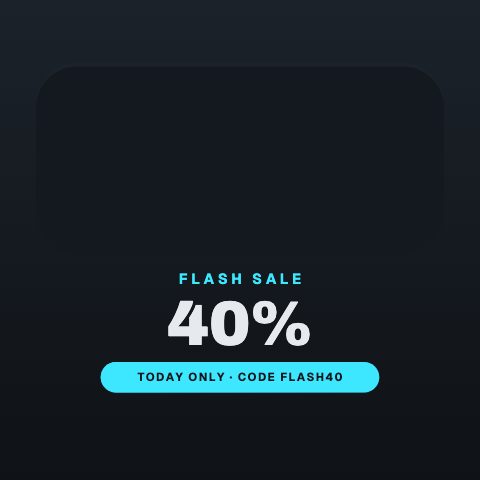
Both put a design in front of you. The difference is what comes out. CaliberVisual is built to turn a product, an offer or a brand into motion creative that is ready to run: the ad, the sale promo, the hook, the overlay. Canva is a general design tool with millions of templates for posts, slides, documents and video. It is a library of 1030 finished motion graphics: lower thirds, subscribe prompts, hook cards, sale banners, listing reels. You change the text, colours, typeface and logo in the browser, then export MP4, GIF or a MOV with a real alpha channel, which is the file Canva's video downloads do not cover. Canva is the wider tool. CaliberVisual is the one built for the part of your week that moves, on a monthly plan with clean exports included.
What Canva is good at
Range
More than 1,000 design types and 3.6 million templates on Pro. Posts, slides, documents, print and video in one place.
Price
Canva Pro is US$15 a month, or US$120 a year, for one person across the whole design suite.
Scheduling and teams
Pro schedules social posts. Business adds approvals and 100 brand kits at US$21 a month per person.
4K video
Paid plans download MP4 up to 3840 by 2160, and GIF with a transparent background.
Where CaliberVisual differs
Transparent video
Canva's help centre lists MP4 and GIF as its video downloads. CaliberVisual also exports MOV with a real alpha channel, so a lower third sits on your footage with nothing behind it.
Motion already made
Timing, easing and layout are authored. You change fields and the motion stays as it was made.
One job
No slides, no print, no documents. Only motion graphics for video, shelved by what a creator, a shop or an agent publishes.
Side by side
| Canva | CaliberVisual | |
|---|---|---|
| Price | Free plan. Pro is US$15 a month or US$120 a year for one person. | Pro $9.99, Studio $59.99, Business $79.99 a month. Clean exports a month: Pro 10, Studio 25, Business 60. First 3 prompts free. |
| Export formats | MP4 and GIF | MP4, GIF and MOV |
| Transparent video | GIF, PNG and SVG on paid plans. No transparent video file is listed. | MOV with an alpha channel, on Pro and above |
| Templates | 3.6 million templates across every design type | 1030 finished animations. You change text, colours, typeface and logo. |
| Learning curve | Low. Drag and drop. | Minutes. Text fields and colour swatches. A timeline is there for timing only. |
| Brand kit | 1 on Free with 3 colours, 5 on Pro, 100 on Business | 3 on Pro, 10 on Studio, Unlimited on Business |
Prices checked September 2026 on canva.com and the CaliberVisual pricing page. Prices change. Check both before you buy.
Which one to pick
Pick Canva if
Your week is static: posts, slides, print and the occasional video, with nothing that has to sit over footage.
Pick CaliberVisual if
You publish video every week. You want lower thirds, subscribe prompts, hooks and sale cards that are already animated, a transparent MOV for the edit, and clean exports included every month.
Where to start
Six animations that cover a week of posting: a lower third, a subscribe prompt, a follow card, a sale banner, a quote and a link card.

Questions
Is CaliberVisual a replacement for Canva?
For everything that moves over video, yes. Lower thirds, prompts, hooks and sale cards arrive finished, take your brand kit in one step and export as transparent MOV. Canva stays useful for posts, slides and print. Most people keep it for static work and make the motion here.
Can Canva export a transparent video?
Canva's help centre lists MP4 and GIF as its video download types, and offers a transparent background on GIF, PNG and SVG for paid plans. CaliberVisual exports MOV with an alpha channel on Pro and above.
Which costs less, Canva or CaliberVisual?
They price different jobs. Canva Pro is US$15 a month for a general design suite. CaliberVisual Pro is $9.99 a month for finished motion graphics, transparent MOV, every ratio from one edit and 10 clean exports a month. One commissioned lower third costs more than either plan does in a month.
Do I need design skills for either?
No. Canva is drag and drop. CaliberVisual asks for less: text fields, colour swatches, a typeface picker and a logo slot.
Other comparisons
Jitter alternative
Animate it yourself, or have the campaign out this afternoon.
For product and marketing teamsAfter Effects templates alternative
A project file and a render, or the finished asset this afternoon.
For video editorsMinta alternative
A feed that posts itself, or creative you run where it earns.
For ecommerce brands