$5.99 once to export it clean, or every animation with Pro.
Duration
8s
Frame
1080 × 1920
Export
MP4, GIF, MOV (alpha)
Resolution
Up to 4K
About the Launch Cut animation
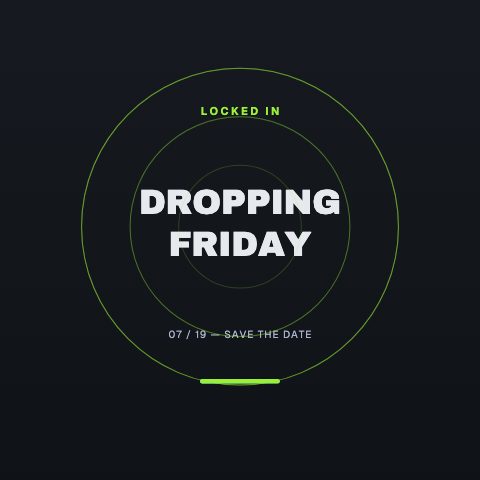
Launch Cut is the drop post itself rather than an overlay for one. The product beat carries the name, the price line and the photo inside a tall window; when the rail above it finishes, the window closes back to a line on the frame's centre and the closing line turns into the rule the call to action sits on. Keep the product name short enough to read at a glance and put the condition (shipping, stock, launch window) in the price line. The handle under the call to action is what makes the instruction actionable, so use the account the link actually lives on.
Where it fits
As the drop post itself on Instagram or TikTok, the whole eight seconds with no extra footage.
As the opening of a longer launch Reel, cut into footage of the product in use.
In a paid vertical ad where the price and the link both need to appear on screen.
Filling it in
Keep the product name to one or two words, since it sits inside a narrow window. The price line takes the condition, such as $129 with free shipping, and the CTA should be a real instruction like LINK IN BIO or SHOP NOW. Put the handle where the link actually lives. A tall product photo fills the window best.
Format and timing
Launch Cut is built at 1080 × 1920, a 9:16 portrait frame, the shape Reels, TikTok, Shorts and Stories fill from edge to edge, and runs 8 seconds at 30 frames per second. It arrives in 1.0 seconds, holds for 6.1 and clears in 0.9, so cue it a beat before the moment it labels. Export it as an MP4 for a timeline or a feed, a GIF where video will not embed, or a MOV with an alpha channel to lay it over footage with nothing behind it. Renders go up to 4K on a paid plan.
What you can edit
Kickertext
Producttext
Price linetext
Product photoimage
CTAtext
Handletext
Accentcolor
Questions about Launch Cut
Why is this one eight seconds when most are three or four?
Because it is a complete post rather than an overlay. It opens on the product, holds while the rail fills, then closes onto the call to action, and each beat needs room to read.
Can I cut it shorter?
Yes, in your editor. The product beat holds for a while, so trimming a second or two from the middle keeps both the reveal and the closing line intact.